To recruit a player into your team, send them an offer from their CV.
1. Check that the player is available
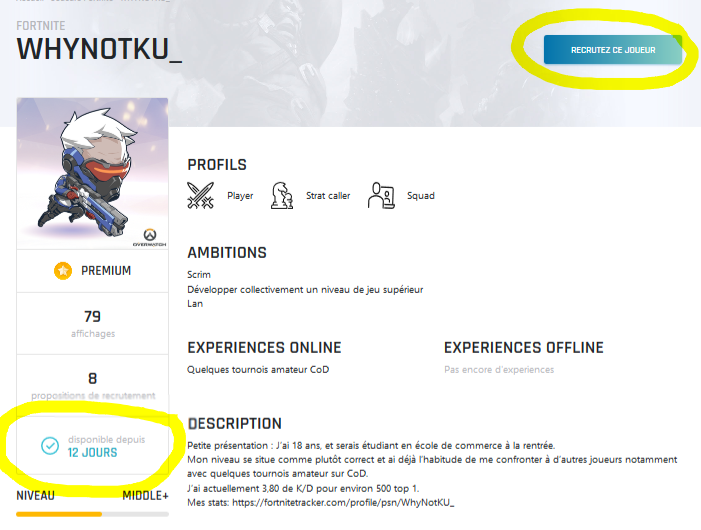
On the player's page, check that they are available for recruitment. In the example below, the player has been available for 12 days.
If the player is not available:
- With a premium team, you can join their waiting list. The player gets a notification and decides whether to accept your request.
- With a free account, you have to wait until they become available again.
2. Send your offer
Click Recruit this player.
To contact them, you must manage a team on the same game and the same platform as their CV. If you don't have one, creating a team is free.
Then write a message describing your offer. The more specific it is, the more likely you are to get an answer.